How to Cheat in Chess.com Using a Browser Extension
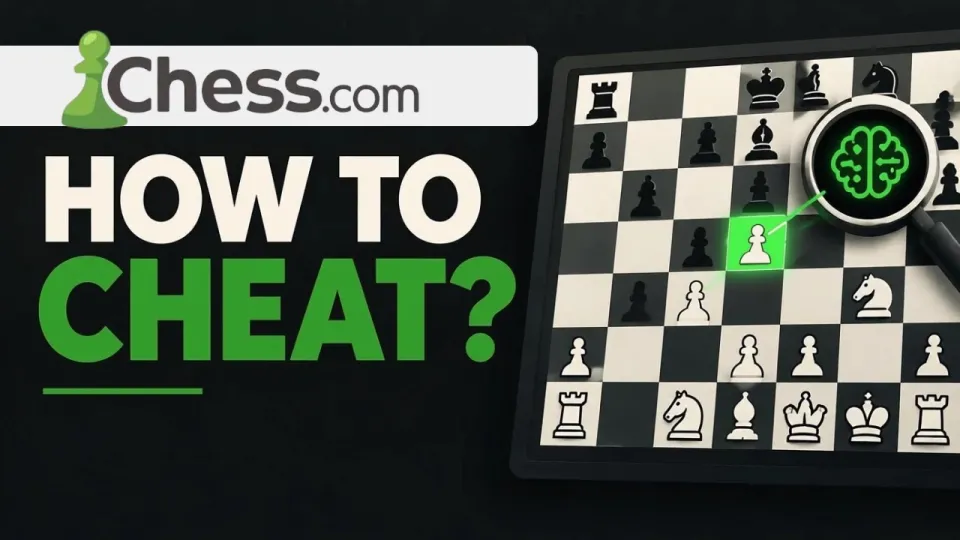
Video: How to cheat in Chess.com (Chess.com cheats)
· based on the channel Matyc
Cheating on Chess.com in the method shown here means installing a browser userscript from the xmods.cc item page that overlays engine move suggestions directly on the live board, so you never leave the tab or open a second device. The script is a Chess.com cheat extension built for userscript managers such as Tampermonkey, and it is advertised as a way to boost rank and win more games. Below is how the tool is set up, how it actually behaves in a game, and what Chess.com's anti-cheat does about it.
What the Chess.com cheat extension actually is
The cheat is not a modified client or a hacked account; it is a userscript that runs in your browser and injects an overlay on top of the Chess.com interface. Userscripts are small JavaScript files executed by extensions like Tampermonkey or Violentmonkey, and they can read and modify the page they are whitelisted for. In this case the script reads the board position, sends it to a chess engine, and draws the recommended move on the board before you play it.
Key properties of this approach:
- It works in the browser only, on desktop Chrome, Edge, Firefox or Opera with a userscript manager installed.
- It requires no second screen, phone or separate engine window, which is what makes it attractive compared with classic engine cheating.
- It does not modify Chess.com's servers; everything happens client-side, in your own page.
- It is distributed as a third-party file, so the code is not reviewed by Chess.com or by any store.
How to install and use the cheat in a game
The installation follows the standard userscript routine, and the whole process takes a few minutes. The steps below describe the flow the tool is built around.
- Install a userscript manager. Tampermonkey is the most common choice and is available for Chrome, Edge, Firefox and Opera; Violentmonkey works the same way.
- Open the script page at https://xmods.cc/item/9 and use the install button. The manager should open an installation tab showing the script source and a confirm button.
- Confirm the install, then check that the script appears as enabled in the manager's dashboard.
- Log in to Chess.com and start a game in the browser. The overlay appears on the board area once the script detects a live position.
- Play the move the overlay highlights, or ignore it; the script only suggests, it does not move pieces for you.
That last point answers the most common question about this kind of tool: there is no separate "use it" command inside a game. If the script is enabled and the page is Chess.com, it activates by itself. If nothing appears, the usual causes are a disabled script, an outdated userscript manager, a browser blocking the injection, or a Chess.com page layout the script does not recognize.
How Chess.com's anti-cheat catches engine users
Chess.com does not need to see your screen to catch you; it analyzes move quality statistically across your game history. The Fair Play team runs every finished game through engine comparison and looks for patterns that human players do not produce: near-perfect agreement with engine top moves in complex positions, identical accuracy in winning and losing positions, long thinks followed by instant engine moves, and a sudden jump in rating that is not matched by the account's history.
What makes detection likely with an overlay tool:
- Accuracy clustering. A human blunders occasionally even in good games; a player following an overlay does not, and the distribution of centipawn loss becomes unnaturally flat.
- Time patterns. Copying a suggested move often produces either instant moves or a suspiciously uniform thinking time.
- Rating jumps. Gaining several hundred points in a short period is the single strongest flag in the system.
- Reports. Opponents can report accounts, and reported games are reviewed manually with engine assistance.
Bans are applied retroactively: games are voided, opponents get rating refunds, and titles or prizes earned in cheating-affected events can be removed. Paid memberships are not refunded when an account is closed for fair play violations.
Typical problems users run into
The most frequent complaint about this type of cheat is that the script installs but nothing shows up during a game. That is almost always a page or permission issue rather than a broken script: the userscript manager may be disabled in incognito mode, another extension may conflict with the injection, or the browser may be running an old version of the manager that no longer matches the script's metadata block.
Other recurring issues:
- The overlay appears but the suggestions look wrong. The script depends on an engine running in the page; on weak hardware or with a heavy engine setting, suggestions lag behind fast bullet games.
- The script disappears after a Chess.com update. Chess.com changes its front-end regularly, and any userscript that reads the board DOM breaks when class names or board rendering change.
- Trust and safety. The file comes from a third-party site, not from an official store, so it runs with access to the Chess.com page in your browser. Weigh that before installing anything that can read your session.
Is cheating on Chess.com worth the risk
No: the expected outcome of using an engine overlay is a closed account, not a higher rating. Chess.com's detection is built on the statistical signature of engine play, and that signature is present from the first game you play with an overlay. The rating you gain is temporary by design, because flagged games are removed and the account is closed.
There is also a practical cost beyond the ban. Playing with an overlay removes the feedback loop that makes improvement possible, so the account's real strength does not change; move the same player to an over-the-board board and the gap shows immediately. For players who want faster progress legitimately, the same time is better spent on tactics trainers, opening repertoires and post-game analysis of your own losses, all of which are built into the platform.
Conclusion
Cheating in Chess.com with the userscript from the xmods.cc item page is technically simple: install Tampermonkey, add the script, open a game, follow the overlay. It is also one of the easiest cheating methods for Chess.com's Fair Play team to detect, because engine-level accuracy across many games is exactly what their models look for, and the penalty is account closure with voided games and no refund. The video breakdown on the Matyc channel walks through this installation and shows the overlay in action, which is useful for understanding how the tool works even if you decide not to use it. Treat the method as a description of a known cheat category rather than a safe shortcut, and expect any account that uses it consistently to be flagged.
Key takeaways
- The cheat method shown is a browser userscript (Tampermonkey-style) distributed through the xmods.cc website, item 9.
- It overlays engine move suggestions on the live Chess.com board, so no second device or manual engine input is needed.
- Chess.com's anti-cheat compares your moves with engine top choices across games, so consistent engine-level accuracy is the main ban trigger.
- Consequences range from game voiding and rating refunds to permanent account closure, including paid subscriptions.
- No userscript can hide engine-level play from statistical detection; the extension only changes how moves are delivered.
Source: How to cheat in Chess.com (Chess.com cheats) · Markdown version
Questions & answers
How do I actually activate the cheat during a game?
There is no activation command inside the game. Once the userscript is installed and enabled in Tampermonkey, it injects itself into Chess.com pages automatically when a board is detected. If no overlay appears, check that the script is toggled on, that the userscript manager is allowed in your current browser mode, and that no other extension is blocking it.
Will Chess.com ban me for using a chess cheat extension?
Yes, if you use it consistently. Chess.com compares your moves with engine output across your game history and flags patterns such as near-perfect accuracy, uniform thinking times and sudden rating jumps. Penalties include voided games, rating refunds to opponents and permanent account closure, and paid subscriptions are not refunded.
Does the extension work on mobile or in the Chess.com app?
No. Userscripts need a browser that supports a manager like Tampermonkey, which in practice means a desktop browser. The Chess.com mobile app cannot run this kind of script, so the method is limited to playing in a desktop browser.
Why does the script stop working after a while?
Chess.com updates its front-end regularly, and userscripts that read the board from the page break when class names or rendering change. An outdated userscript manager or a conflicting extension can cause the same symptom. In most cases the fix comes from the script author, not from the user.